
Published
Quick Answer
What should I do if I forgot my B9 Game login password?
To reset a forgotten B9 Game login password, tap the forgotten-password option on a verified login page, enter your registered +92 number, type the newest SMS code into the platform form and create a new unique password. Never send the code to anyone, and contact in-app support if you no longer have the registered SIM.
| Item | Detail |
|---|---|
| Login fields | +92 phone number and password |
| Reset option | Forgotten-password link on the login page |
| Google login | Visible; may work if the account uses Google |
| Email login | Separate email field not confirmed |
| Last checked | 14 October 2026 |
Key Takeaways
- The current B9 Game login page asks for a +92 phone number and password, with a forgotten-password link and Google login.
- A separate email-and-password login has not been confirmed, so sign in with the method you originally registered with.
- Request one reset code at a time and enter only the newest code, because earlier codes may stop working.
- Caps Lock, extra spaces, a changed keyboard language or an old autofilled password often cause wrong-password errors.
- Genuine support never needs your password, full OTP or wallet PIN; contact support only through the in-app option.
Your B9 Game login password is the main thing protecting your account balance and linked wallet, so losing it can feel stressful. The good news is that the current login page includes a forgotten-password option, and most access problems come from small, fixable mistakes.
This guide explains what the login page asks for, how to reset a forgotten password safely, why a correct-looking password may still be rejected, and what to do when the reset code does not arrive. It finishes with a short step summary in Roman Urdu for readers searching "b9 game login karne ka tarika".
What the B9 Game Login Page Asks For
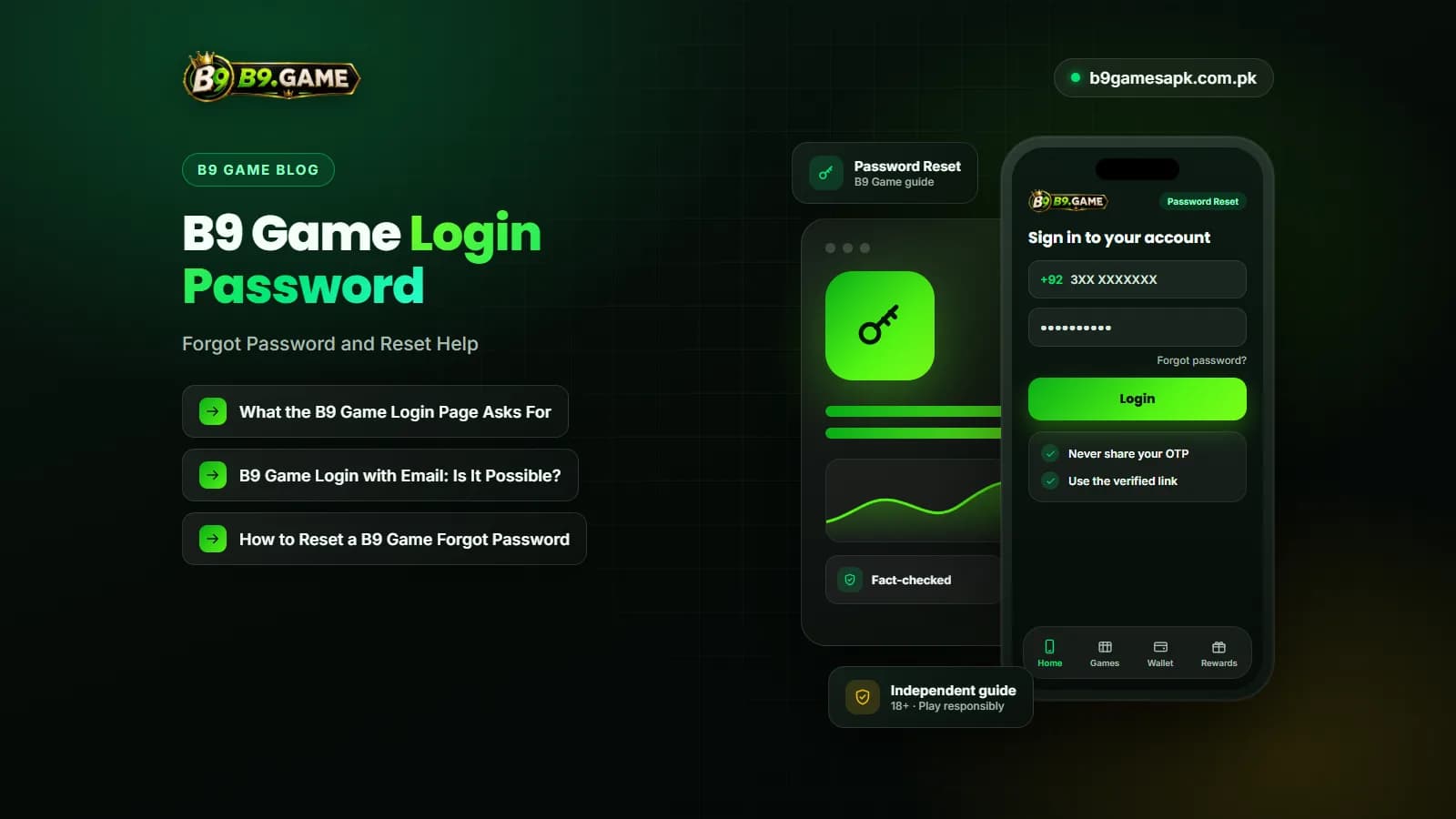
The current public login screen displays a Pakistani phone-number field with the +92 country code, a password field, a forgotten-password link, a registration link and a Google login option. The layout can change after updates, so always read the live form carefully.
| Login field or option | What to enter or expect |
|---|---|
| Phone number | The mobile number used when the account was registered, in the format the form asks for |
| Country code | +92 is shown for Pakistani numbers; avoid adding an extra zero if the code is already selected |
| Password | The password you created at registration or after your last reset |
| Forgotten password | Starts the reset process for the registered number |
| Google login | Visible on the current page; may only work if the account was created or linked with Google |
| Email login | A separate email-and-password field has not been confirmed on the current page |
B9 Game Login with Email: Is It Possible?
Many people search for B9 Game login with email, but the public login page reviewed for this guide is built around a phone number and password. The closest option is the Google login button, which uses your Google account rather than typing an email and password into B9 Game.
If you registered with Google, try that button first. If you registered with a phone number, use the phone number. Signing in with a different method may open a new, empty account instead of your existing one, which can look like your balance has disappeared.
How to Reset a B9 Game Forgot Password
Use only the forgotten-password option on a verified login page or in a checked APK. The exact screens may differ, but the reset normally follows these steps.
- Open the login page from a saved, verified address rather than a link sent by someone else.
- Tap the forgotten-password option shown under the login form.
- Enter the registered phone number with the correct +92 format.
- Request a verification code once, then wait for it to arrive by SMS.
- Enter only the newest code you received, directly in the platform form.
- Create a new password that you have not used on any other website or app.
- Confirm the new password and save it in a secure password manager.
- Log in with the phone number and new password, then check that your balance and linked wallet look correct.
Never pay anyone to reset or "recover" a password for you, and never send the reset code to a person who messages you on WhatsApp, Telegram or Facebook. Real support does not need your OTP, password or wallet PIN.
Why Your B9 Game Login Password Shows as Wrong
Before resetting, check whether a simple typing issue is causing the error.
- Caps Lock or an automatic capital letter at the start
- An extra space copied before or after the password
- Keyboard language switched to Urdu or another layout
- Auto-correct changing characters
- An old password saved in the browser or phone
- Logging in with a wallet number instead of the registered number
Type the password manually rather than relying on autofill. Avoid many rapid attempts, because repeated failures can temporarily lock the account.
Reset Code Not Arriving
If the verification code does not arrive, check mobile signal, the SMS spam folder, blocked senders and which SIM is active on a dual-SIM phone. Wait before pressing resend, because several requests can create multiple codes and only the latest may work. Our OTP troubleshooting guide covers this in more detail.
If You No Longer Have the Registered Number
A reset normally depends on access to the registered SIM. If the number is lost, replaced or no longer active, the standard reset may not work. In that case, contact support through the in-app support option and prepare:
- The registered number with some digits hidden
- The approximate registration date
- Recent deposit or withdrawal references
- Device model and whether you use the app or browser
- Screenshots of the error message
Do not post these details in public comments or groups. Recovery rules and any identity checks must be confirmed with in-app support.
How to Login B9 Game Safely After a Reset
- Use a unique password with letters and numbers
- Log out on shared or borrowed phones
- Check the linked wallet for unknown changes
- Change the password again if you suspect anyone else saw it
- Avoid login links sent by strangers
- Keep the registered SIM active
B9 Game Login Karne Ka Tarika (Roman Urdu Summary)
Neeche B9 Game login karne ka mukhtasar tarika diya gaya hai:
- Verified website ya check ki hui APK kholein.
- Login par click karein aur +92 country code check karein.
- Apna registered mobile number likhein.
- Apna password dhyan se likhein, phir confirm dabayein.
- Password bhool gaye hain to forgotten-password option istemal karein aur SMS code sirf form mein likhein.
- Apna OTP, password ya PIN kisi ko na batayein, chahe woh khud ko support kahe.
Conclusion
A forgotten B9 Game login password can usually be fixed with the forgotten-password option and the registered phone number. Check simple typing problems first, request one code at a time and use only the newest one.
Keep the reset inside the verified platform, use a unique new password and contact in-app support if you have lost access to the registered number.
Frequently Asked Questions
How do I reset my B9 Game login password?
Tap the forgotten-password option on the login page, enter your registered number, enter the newest SMS code and create a new unique password.
Can I use B9 Game login with email?
A separate email login field has not been confirmed on the current page. A Google login option is visible, which may work if your account uses Google.
How to login B9 Game with a phone number?
Open the verified login page, check the +92 code, enter the registered number and password, and press confirm once.
Why does B9 Game say my password is wrong?
Common causes are Caps Lock, extra spaces, a changed keyboard language, autofill of an old password or using a different number.
What if the B9 Game forgot password code does not arrive?
Check signal, spam SMS and the active SIM, then wait before requesting again. Use only the newest code.
Can support ask for my password or OTP?
Genuine support should never need your password, full OTP or wallet PIN. Contact support only through the in-app option.
What if I lost my registered SIM?
Contact in-app support with non-sensitive account details such as transaction references. Recovery rules must be confirmed with support.
Related B9Game Guides
More B9 Game Guides
Published · Updated
B9 Game Account Locked? Causes and Recovery Steps
A B9Game account may become temporarily inaccessible after repeated password attempts, unusual device access or verification issues. Here is how to recover it safely.
Published · Updated
B9 Game OTP Not Received? Causes and Solutions
A B9Game OTP may be required during registration, password recovery, payment confirmation or account verification. Here is why it may not arrive and how to fix it.
Published
B9 Game VIP: How VIP Levels and Rewards Usually Work
Seen a VIP badge or level bar and wondering what it means? Learn how VIP levels and rewards usually work on real-money platforms, where to confirm the real B9 Game rules in your account, and why chasing a higher level is a costly habit.
Published
B9 Game Teen Patti: Rules, Hand Rankings and Real Risks
Searching for B9 Game Teen Patti? Learn the basic teen patti rules, see every hand ranking with its real probability, understand blind and seen play, the house edge, and how to check whether Teen Patti is offered in your B9 Game lobby.